If you wish to download annotated assignments for a course which has been completed, please see the information on viewing past enrolments before following the steps below. Please note: as an oberver you will not be able to download annotated assignments on a completed course. Please ensure you use the student's account to do this.
- From your Canvas account, please click on a course, then Grades,then the Assignment you would like to download.
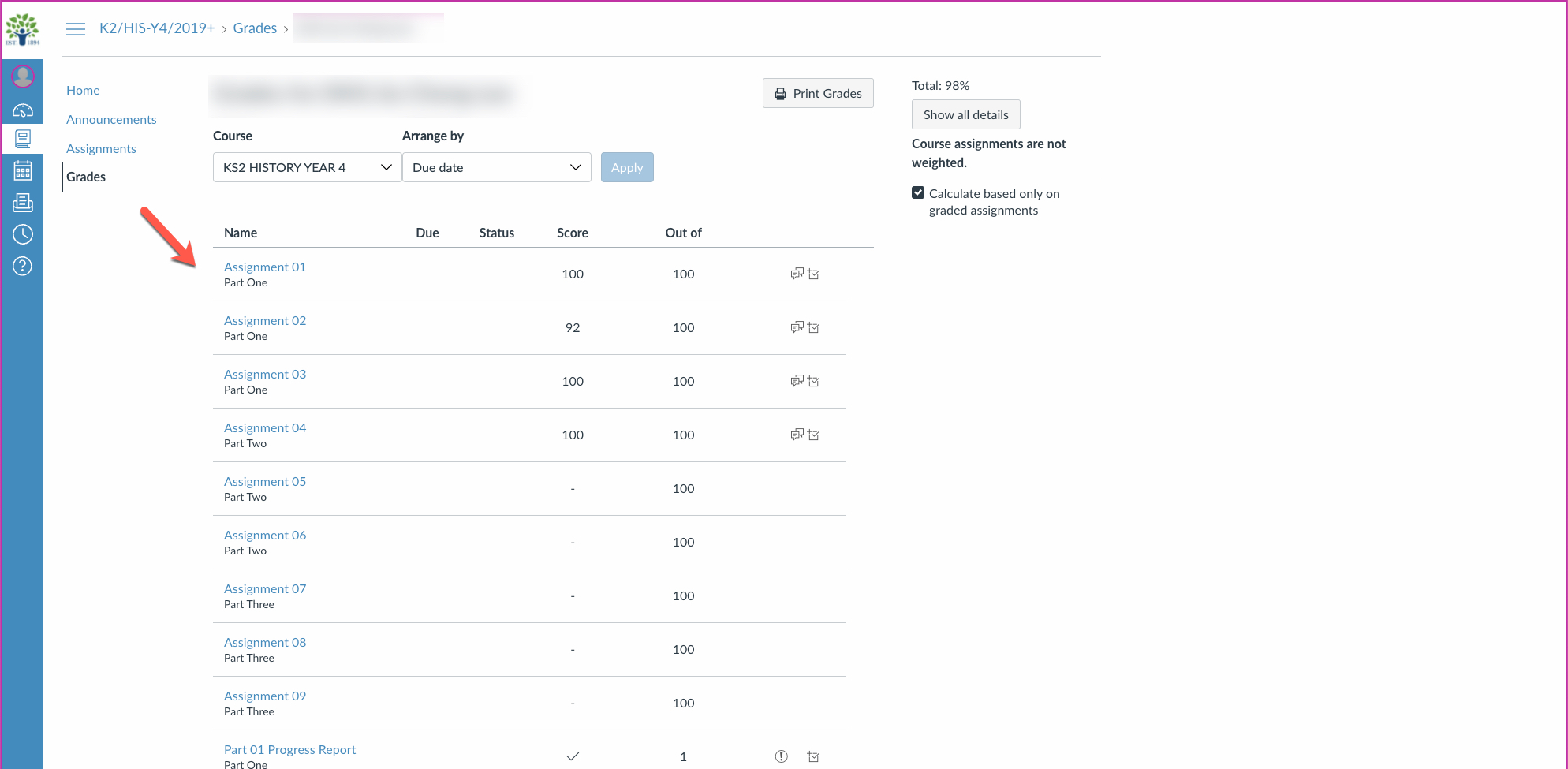
- On the assignment page, beneath the assignment information, you will see your file submission with your tutor's annotations included. Click the download button as shown in the image below.
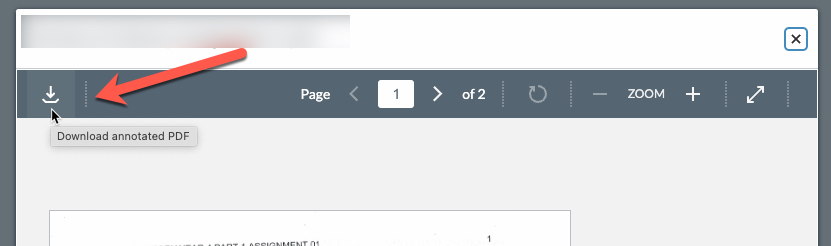
Once downloaded, please follow this guide from Acrobat Reader on how to print the tutor's comments.
Citations
[1] helpx.adobe.com