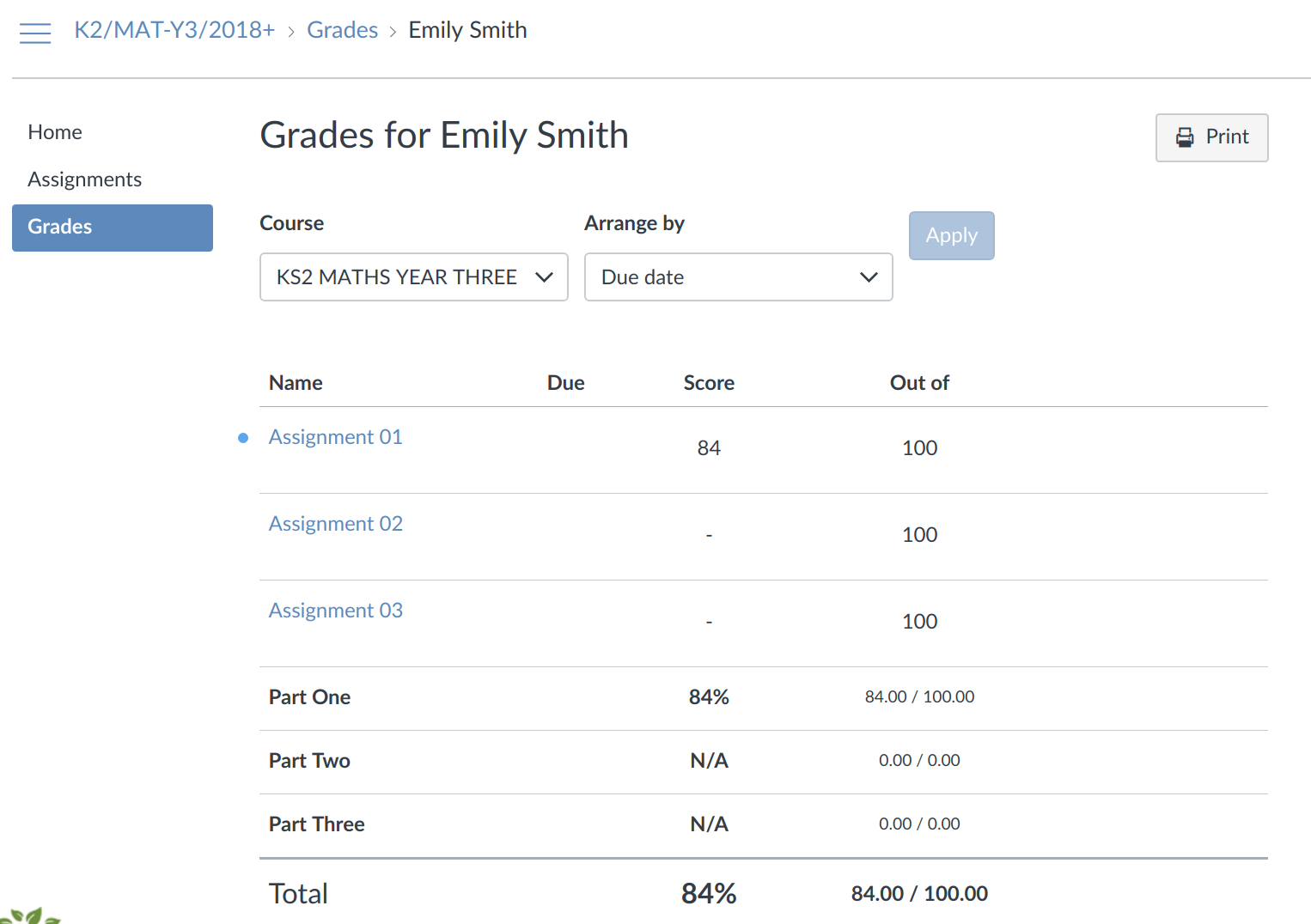
If you click on the GRADES icon on the home page of your child's course you will be taken to your child's Gradebook for the course.
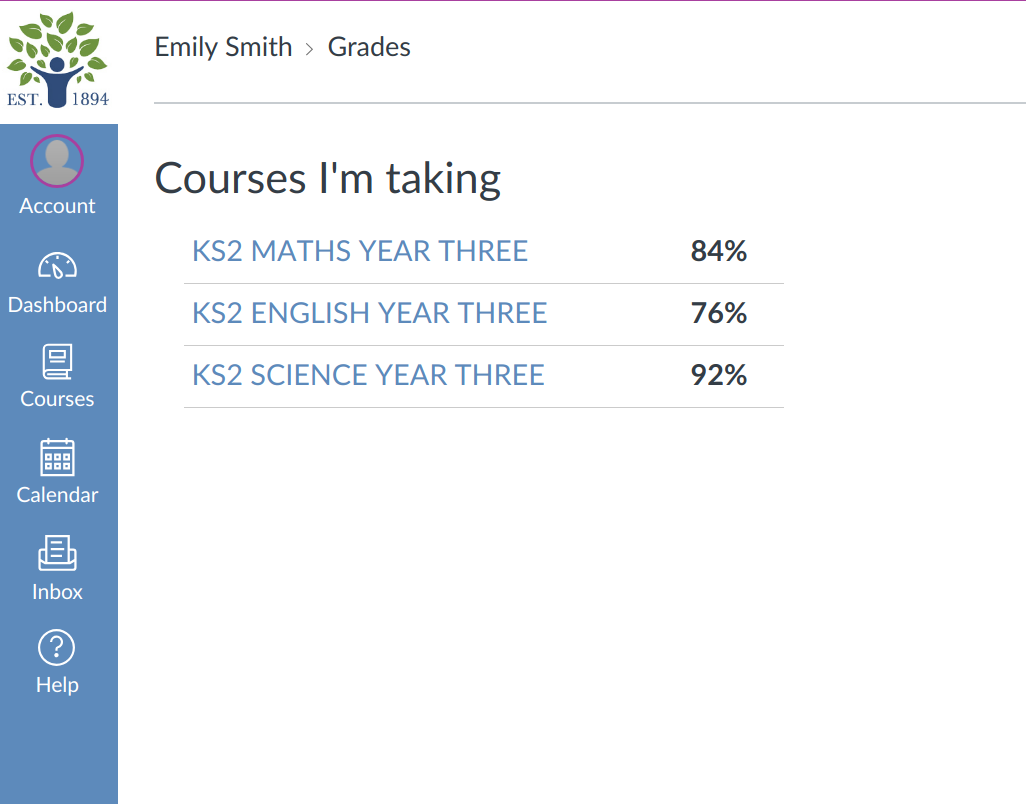
Alternatively, you can click on View****Gradeson the DASHBOARD. This will open a list of your child's grades across all the courses on which they are enrolled.
PROGRESS REPORTS
At the end of each part of a course you will receive a Progress Report from your tutor. This means that you will receive 3 Progress Reports for each course being taken. The Progress Report is written by your tutor and reflects the areas of strength and next steps in learning. It also has a record of the grades received for the part of the course you have completed.
The Progress Report is emailed to you via Canvas Messages.