If you wish to download a copy of an assignment submission which has been recorded on Canvas, please follow the steps below. Please note that this is a workaround, as Canvas does not support this functionality.
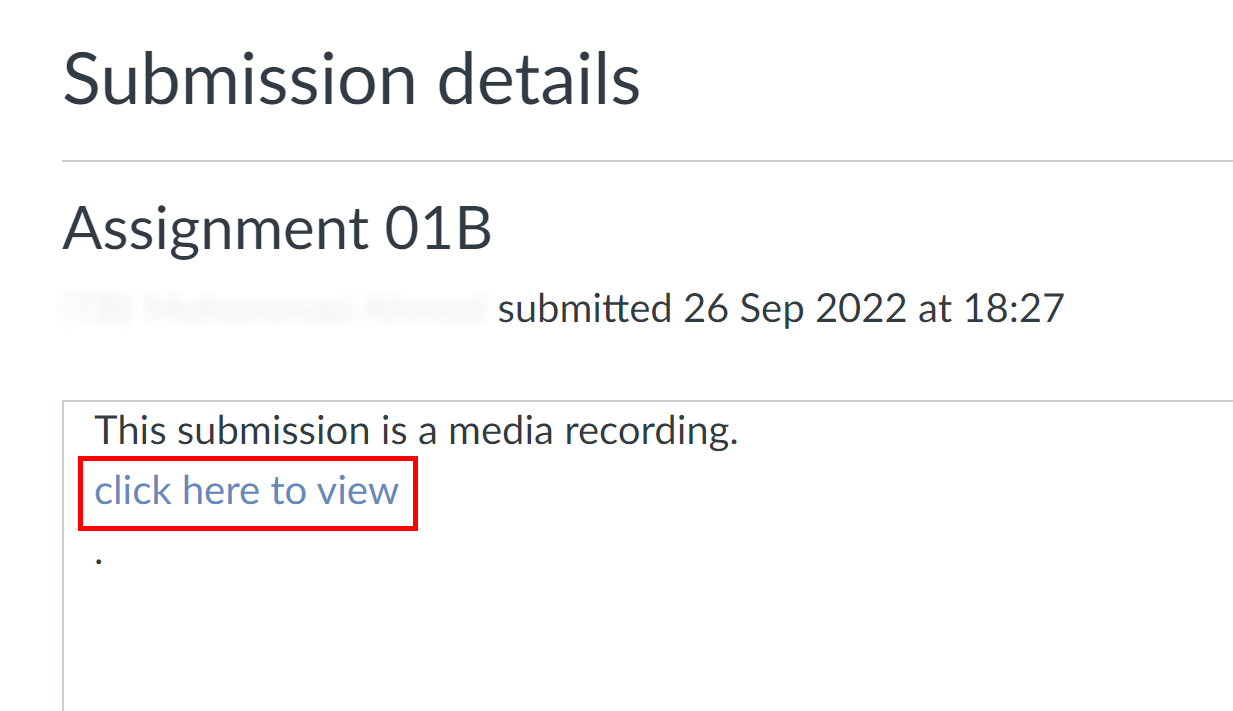
- On the assignment submission page, underneath the message 'This submission is a media recording', select 'click here to view'.
-
The media file should start playing automatically. If it does not, click play.
-
Right-click on the video, and choose 'save video as...' from the menu. The video must be playing when you right-click; if it is paused, you will not see this option.
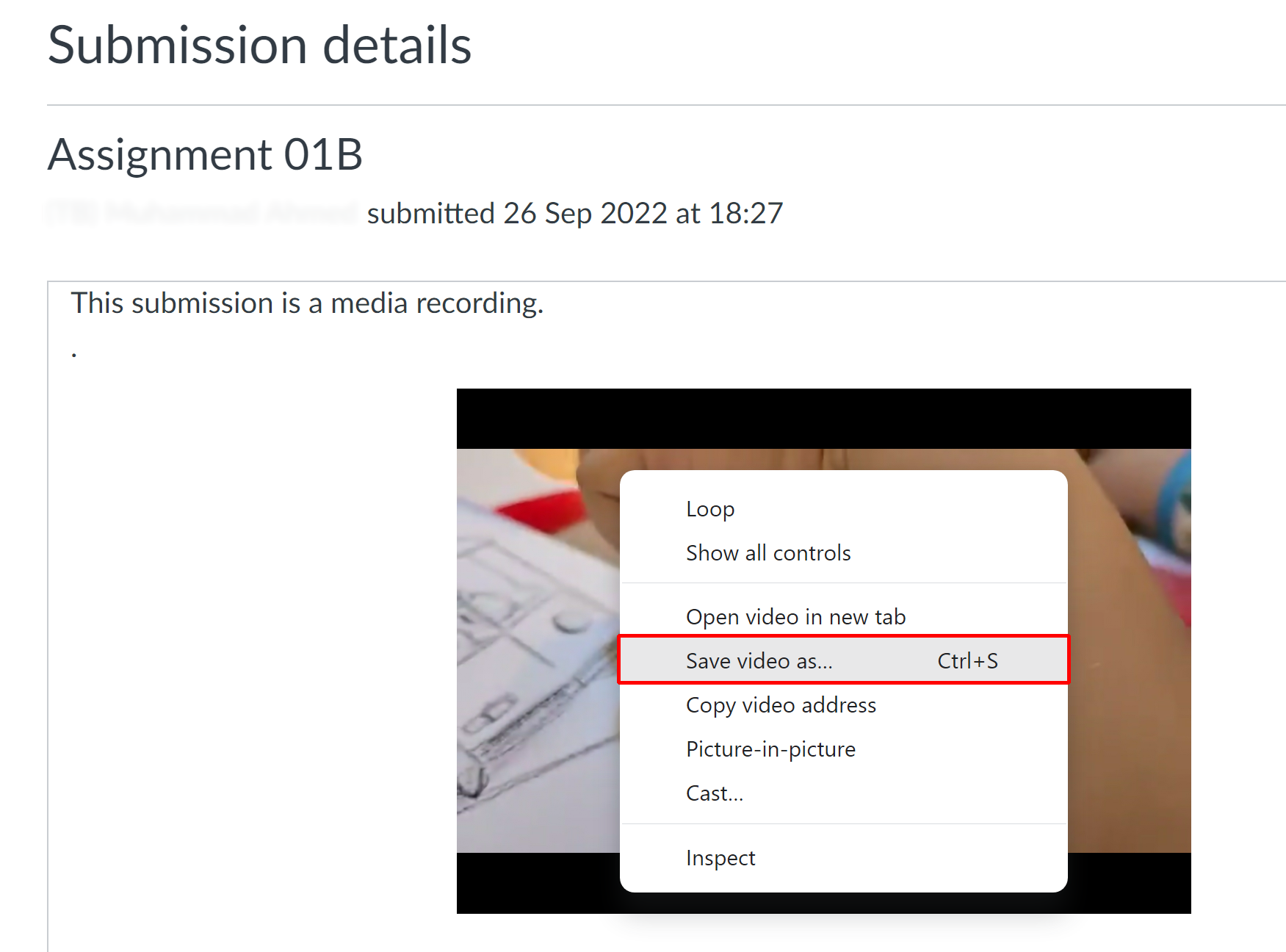
- Select a location on your computer and download the file.
If you submitted a pre-recorded media file, you can download this by clicking on the file name on the assignment submission page.